

If you want to climb the ranked ladder in Blizzard’s hit digital card game, analyzing your gameplay data is no longer optional. Back in the early days of the game, players relied on manual spreadsheets to monitor their performance. That all changed with the introduction of automated analytical tools. You might be searching for Hearthstats net news to find out what happened to one of the community’s earliest and most beloved stat-tracking platforms.
The competitive landscape of digital collectible card games (CCGs) moves incredibly fast. What started as a simple community project evolved into a sophisticated ecosystem of real-time data analysis, overlay utilities, and meta-reporting tools. Today, modern applications can track everything from your opponent’s exact hand state to your precise odds of drawing a lethal combo piece.
This comprehensive guide covers the complete history of Hearthstats, explains its transition to modern alternatives, and outlines the exact tools you need to dominate the current Hearthstone meta.
The Origins of Hearthstats.net

During the game’s launch window, players lacked integrated features to review their long-term performance. In November 2013, the Hearthstone subreddit saw the introduction of a new web-based utility designed to solve this exact problem.
Hearthstats.net launched with a simple promise: keep track of your wins and losses without dealing with messy, manual spreadsheets. The initial web interface allowed players to input their match results, select their class, and record whether they played first or second.
The Push for Automation
Initially, users had to manually submit their match data after every game. The community quickly provided feedback, requesting automated integrations, timezone fixes, and advanced graphing capabilities for specific class matchups. Players wanted to know their exact win percentage against a Mage when playing as a Rogue, or how often going second with the Coin resulted in a victory.
Developers listened to the community. They began working on standalone companion apps that could run in the background, transforming the platform from a manual entry website into an automated statistical powerhouse.
Hearthstats Net News: The Big Transition

If you visit the original website today, you will quickly realize that the platform has fundamentally changed. The biggest Hearthstats net news dropped when the development team officially announced they were deprecating their proprietary uploader.
Instead of maintaining a separate application, the Hearthstats team officially threw their support behind Hearthstone Deck Tracker (HDT), designating it as the official uploader for Windows users. This strategic merger consolidated the developer community’s efforts.
Why the Original Repo Was Deprecated
Maintaining a game companion app requires constant updates. Every time Blizzard released a new patch, changed the user interface, or introduced new keyword mechanics, third-party trackers often broke.
By merging efforts with the HearthSim project (the team behind Hearthstone Deck Tracker), the developers ensured that players would receive faster updates and a more stable tracking experience. The original GitHub repository for the HearthStats Uploader was officially marked as unmaintained, pushing the entire user base toward HDT.
How the Original Uploader Functioned
Understanding how the legacy software worked highlights how far modern tools have come. The original HearthStats Companion was a Java-based utility designed for both Windows and Mac OS X.
Screen Grab Analysis vs. Packet Sniffing
One of the primary concerns players had regarding third-party software was the risk of account bans. Blizzard strictly prohibits cheating or modifying game files.
To remain compliant with Blizzard’s Terms of Service, the Hearthstats Uploader utilized screen grab analysis rather than packet sniffing or network modification. The software would literally “watch” your screen, using optical character recognition (OCR) and image matching to determine which class you were playing, who your opponent was, and who won the match.
While innovative for its time, this method required the game to run in windowed mode and sometimes struggled with accuracy if the player’s resolution was too low.
Hearthstone Deck Tracker: The Spiritual Successor
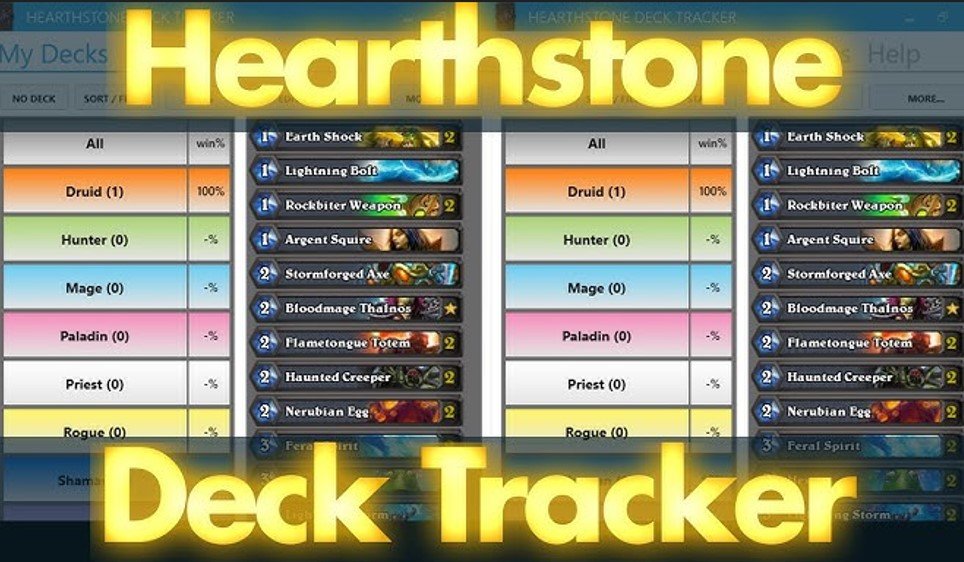
Today, the void left by Hearthstats has been entirely filled by Hearthstone Deck Tracker. Managed by the HearthSim community, this open-source software is widely considered the quintessential PC video game companion for Blizzard’s CCG.
Unlocking the In-Game Overlay
The most powerful feature HDT brings to the table is its in-game overlay. Unlike the early days of checking an external website, modern players receive real-time data directly on their game client.
The overlay dynamically displays:
- Cards remaining in your deck.
- Your exact chances of drawing a specific card.
- A running log of every card your opponent has played.
- How long your opponent has held a specific card in their hand.
- Cards that were mulliganed, stolen, or returned to the deck.
This level of detail allows competitive players to deduce what kind of hand their opponent is hiding, optimizing their strategy on the fly.
Key Features of Modern Trackers
If you want to boost your gameplay level without resorting to cheats or hacks, leveraging the features of modern trackers is mandatory.
Multi-Mode Support
Hearthstone is no longer just a standard constructed card game. Over the years, Blizzard has added massive secondary game modes. Fortunately, modern software adapts seamlessly:
- Battlegrounds Mode: Track your chances of winning or losing a combat phase right after the battle finishes.
- Mercenaries Mode: View your opponents’ skills and speed modifiers in real-time, giving you a tactical edge.
- Arena Tracking: Automatically track your drafted cards and save your arena run results for later analysis.
Advanced Deck Management
The days of being restricted to Blizzard’s 27 deck slots are over. HDT allows you to circumvent the in-game limit by saving an infinite number of custom decks locally.
You can filter these decks by custom tags, sort them by creation date, set personalized notes, and export them directly into the Hearthstone client with a single click. Furthermore, you can easily import professional decklists from popular websites like TempoStorm, HearthPwn, and Hearthstonetopdeck.
Analyzing Meta Data and Win Rates
Data collection is only useful if you know how to interpret it. The evolution of Hearthstats paved the way for massive data aggregation platforms like HSReplay.net and MetaStats.net.
The Power of Real-Time Meta Reports
Platforms like MetaStats generate real-time meta reports using data collected directly from HDT plugins. Millions of games are analyzed daily to determine the most successful deck lists.
For example, a recent data pull might reveal that a specific Void Demon Hunter build holds a dominant 59.29% win rate over thousands of matches, while an Aggro Paladin list sits at 57.43%.
By analyzing this information, you can choose the best deck at your disposal based on the current ladder environment. If the data shows a heavy influx of aggressive Hunters, you can counter-queue with a high-sustain Control Warrior.
Comparison: Classic Hearthstats vs. Modern HDT
To truly appreciate the Hearthstats net news and understand the software’s evolution, let’s look at a direct comparison between the original web utility and the modern HearthSim tracker.
| Feature | Classic Hearthstats.net | Modern Hearthstone Deck Tracker |
| Data Entry | Manual input initially, later automated via Java app | 100% automated via integrated log reading |
| Data Collection Method | Screen Grab Analysis (OCR) | Direct Game Log Reading |
| In-Game Overlay | None | Fully customizable, dynamic on-screen overlay |
| Opponent Tracking | End-of-game class tracking | Turn-by-turn card tracking and secret prediction |
| Deck Limitations | Tracked only what was entered | Bypasses the 27 in-game deck limit via local storage |
| Meta Aggregation | Basic community stats | Global data integration via HSReplay.net |
| Game Mode Support | Standard & Ranked only | Standard, Wild, Arena, Battlegrounds, Mercenaries |
Pros and Cons of Using Third-Party Trackers
While using a companion app is highly recommended for serious players, it is important to weigh the benefits against the potential drawbacks.
The Pros
- Improved Decision Making: Knowing exactly what cards remain in your deck prevents you from making statistical errors.
- Mental Fatigue Reduction: You no longer need to memorize which removal spells your opponent has already used.
- Seamless Integration: Modern tools automatically sync with your HSReplay account, providing beautiful, long-term visual graphs of your performance.
- Community Sourced: Being open-source projects hosted on GitHub, these tools are constantly refined by passionate developers.
The Cons
- Screen Clutter: Playing on a smaller laptop screen can feel claustrophobic when multiple overlay windows are active.
- Over-reliance: Some players become so dependent on the tracker that they struggle to play on mobile devices where overlays are unavailable.
- Update Delays: Whenever a major Hearthstone expansion drops, trackers occasionally break for 24 to 48 hours while developers patch the software.
How to Set Up Your Tracking Software
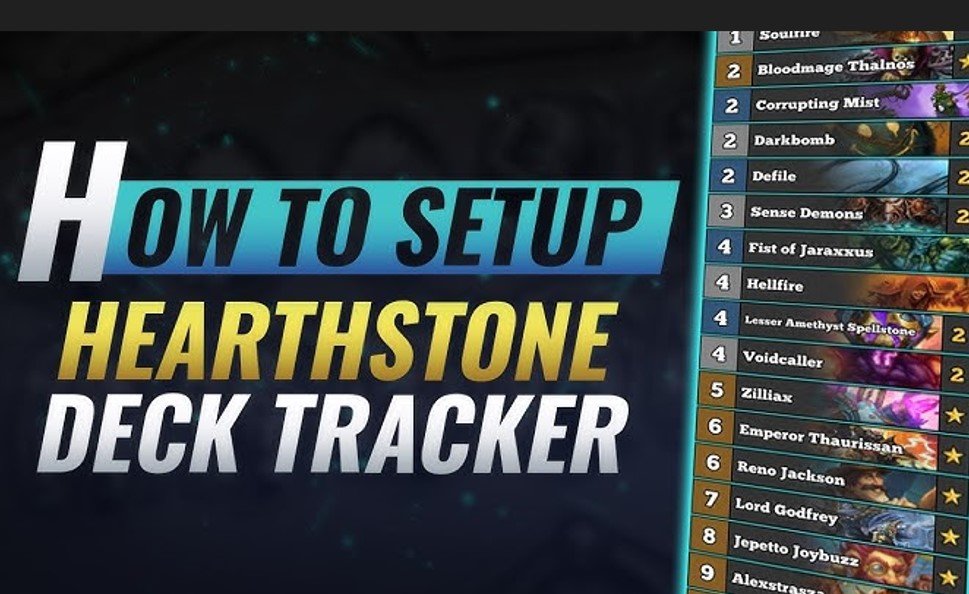
If the recent Hearthstats net news has inspired you to optimize your gameplay, installing the modern replacement is incredibly straightforward.
- Check Your Requirements: Ensure you are running Windows Vista or higher, with the .NET Framework 4.5 installed.
- Download the Client: Visit the official HSDeckTracker website to download the latest Windows installer.
- Run the Installer: Execute the file. The software will automatically locate your Hearthstone installation directory.
- Customize Your Overlay: Navigate to Options > General > Additional Windows to decide if you want the tracker docked to the game client or floating in a separate window.
- Connect Your Account: Link the software to your HSReplay.net account to ensure your win/loss data is permanently backed up to the cloud.
Frequently Asked Questions (FAQ)
1. Is Hearthstats.net still active?
No. The original Hearthstats platform and its associated Java uploader have been officially deprecated. The developers merged their efforts with the HearthSim project to support Hearthstone Deck Tracker.
2. Will I get banned by Blizzard for using a tracker?
No. Blizzard has publicly stated on multiple occasions that third-party software is completely legal as long as it only replicates what a player could theoretically do with a pen and paper. Because trackers do not modify game files or inject code, they are safe to use.
-
Does Hearthstone Deck Tracker work on Mac?
While the original Hearthstats companion supported OS X, the primary HDT client is optimized for Windows. However, Mac users can utilize an alternative community-built tracker called HSTracker.
3. How does the software know what cards my opponent holds?
The software cannot see the faces of hidden cards. However, it tracks which turn the opponent drew a specific card and monitors how long it has been sitting in their hand. This allows skilled players to deduce if the opponent is holding a situational board clear.
4. Can I use the tracker in Battlegrounds?
Absolutely. Modern versions of HDT offer robust Battlegrounds support, including combat win-percentage calculators and tracking of previously fought opponents’ warbands.
5. Do trackers work on Android or iOS devices?
Currently, advanced overlay trackers are restricted to PC and Mac. Mobile operating systems have strict sandboxing rules that prevent third-party apps from reading the memory or screen data of the Hearthstone app.
6. How can I import professional decks into the tracker?
You can easily import meta decks from websites like TempoStorm or HearthPwn directly through the HDT interface. Simply copy the deck code from the website, open your tracker, and click New Deck > Import.
7. Is the software completely free?
Yes. Hearthstone Deck Tracker is open-source software available for free on GitHub. However, premium features on connected websites like HSReplay may require a subscription for deep-dive mulligan analytics.
8. What happens if the tracker stops working after a game update?
Because Hearthstone updates can change how game logs are generated, the tracker may temporarily break. The open-source community usually pushes a hotfix within a few hours. Ensure your tracker is set to update automatically.
9. Can I hide my stats from other players?
Yes. Modern platforms allow you to set your profile privacy, ensuring that your personal win/loss records are hidden from public view if you prefer to keep your strategies secret.
Conclusion
The search for Hearthstats net news ultimately leads to a story of community collaboration and software evolution. What began as a simple Reddit request to eliminate messy spreadsheets transformed into a highly sophisticated, open-source ecosystem.
While the original Hearthstats uploader has retired, its legacy lives on through the massive success of Hearthstone Deck Tracker. By automating the collection of game data, providing real-time overlay analytics, and feeding into massive global meta databases, these tools have permanently raised the skill ceiling of the game.
Whether you are pushing for Legend rank with a dominant Void Demon Hunter deck, or calculating your exact combat odds in Battlegrounds, utilizing a modern tracker is the single best step you can take to improve your Hearthstone experience. Download the software, analyze your weaknesses, refine your decklists, and let the data guide you to victory.